Video Elements Banner
Professional Video Editor

Tell Your Story
Frame by Frame

Multi-layer video editing, stunning effects, and seamless export — everything a creator needs, right from your phone. Free to start.

100K+ Downloads
4.2★ Play Store
Free To Start
Your Mobile
Video Studio

Video Elements is a powerful all-in-one video editing app for creators. Edit, layer, cut, and export high-quality videos with ease — perfect for YouTube, Instagram Reels, TikTok, and more.

Whether you're a beginner or a pro, Video Elements gives you multi-layer editing, transitions, effects (FX), color filters, animated titles, and Chroma Key to tell your story your way.

Lightweight and fast with a beginner-friendly UI — yet packed with pro-level tools. Join thousands of creators editing amazing videos with Video Elements.

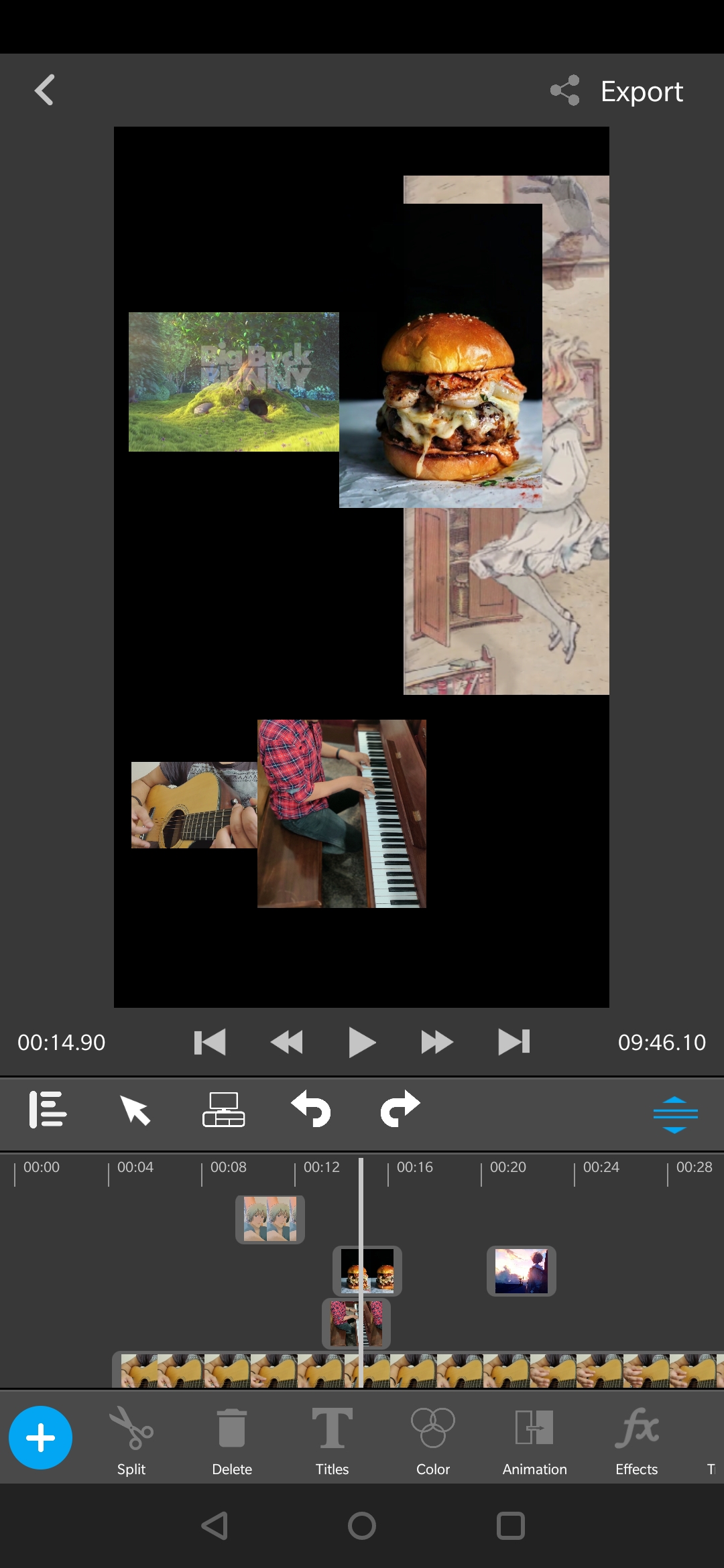
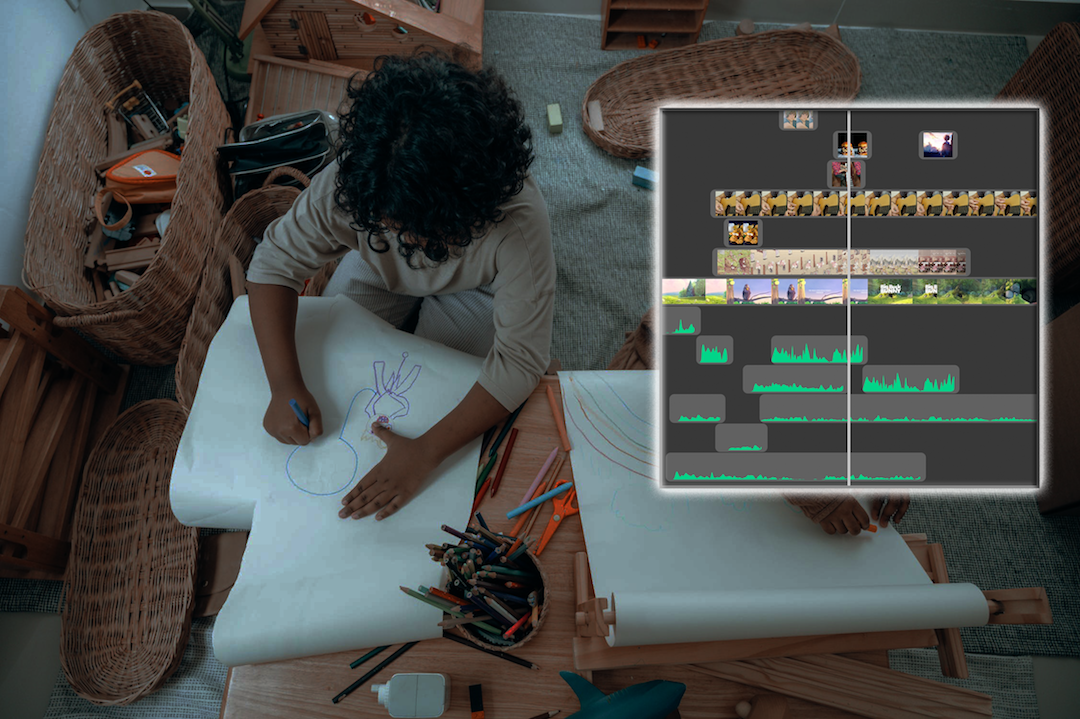
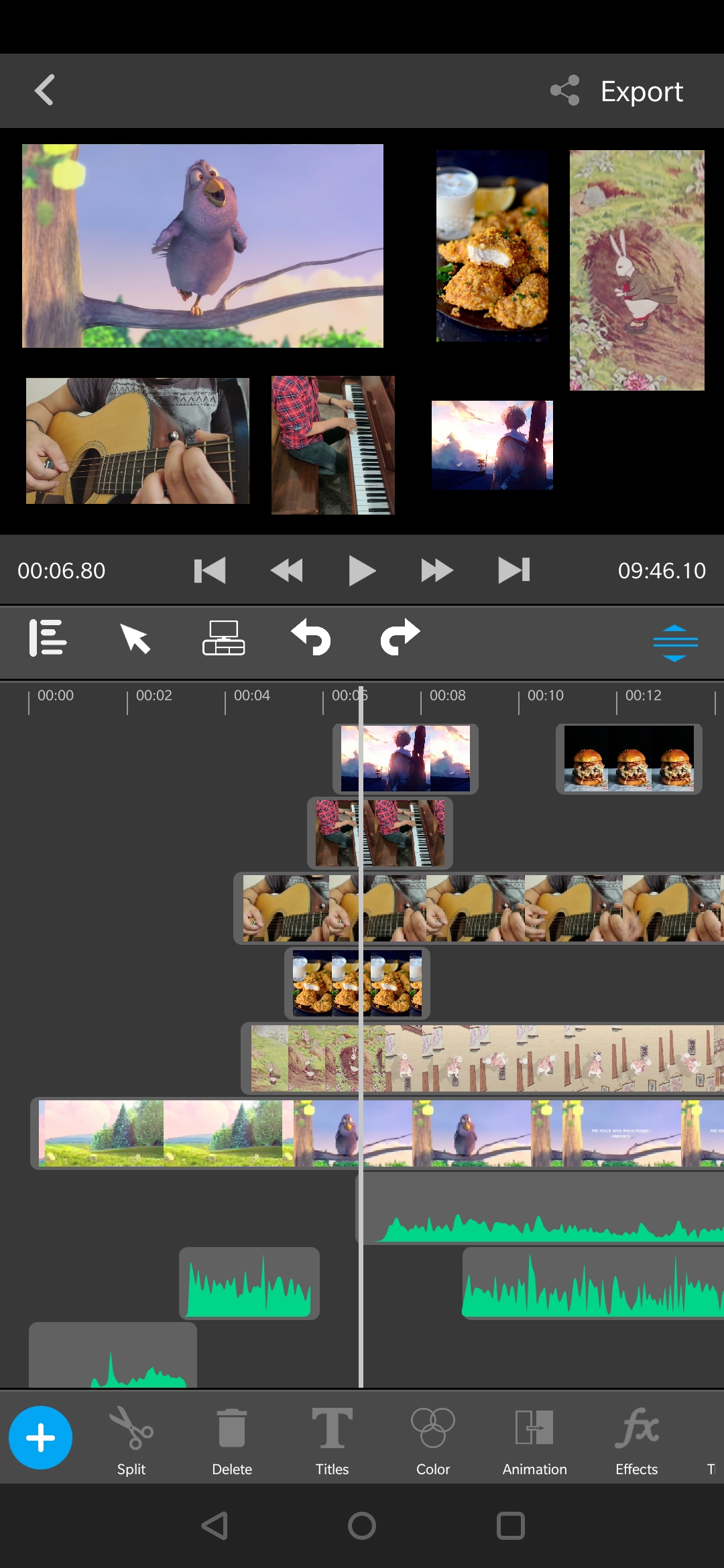
Multi-Layer Timeline Mix videos, audio and titles seamlessly
Effects & FX Transitions, filters, and visual effects
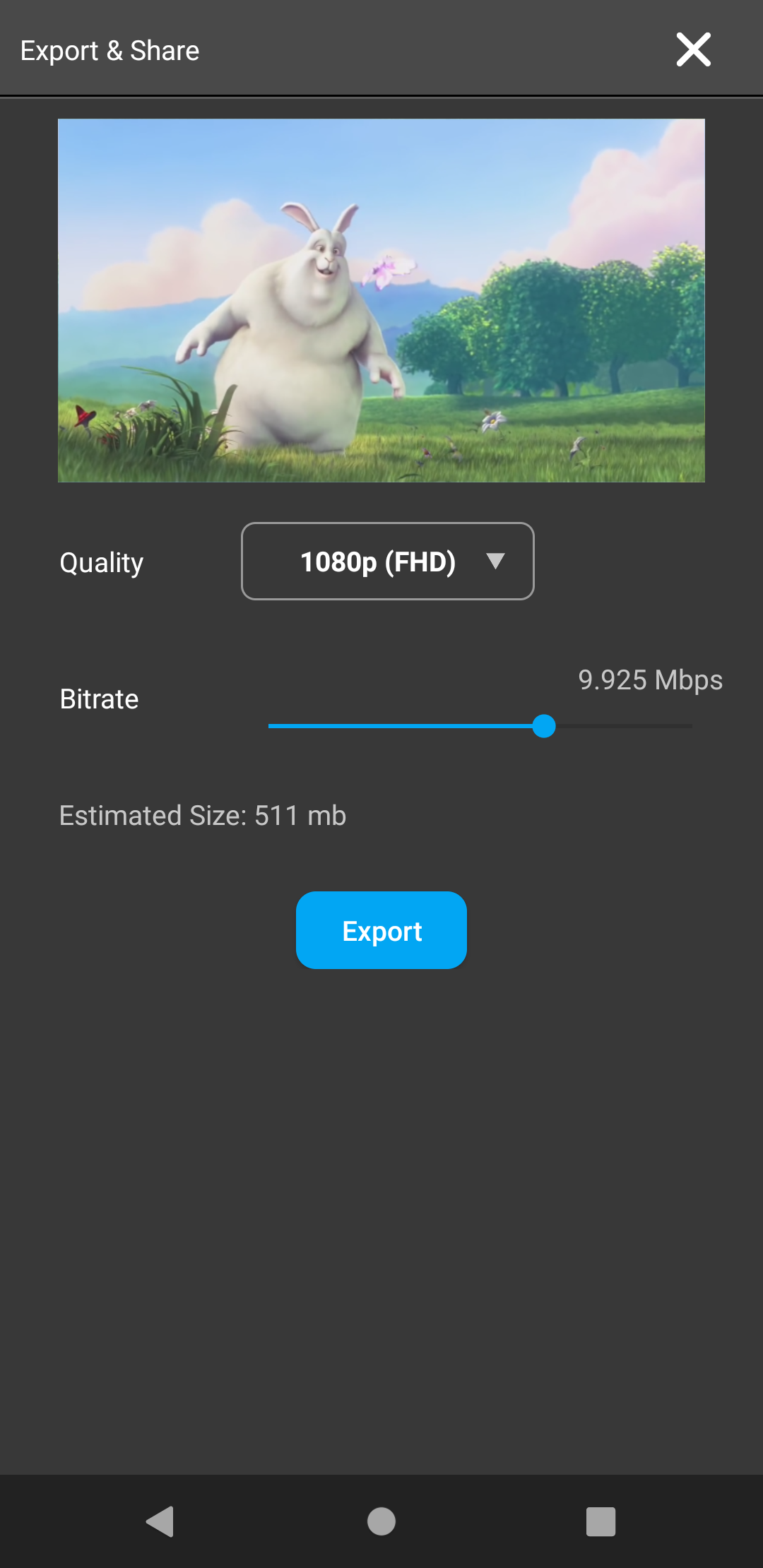
Export & Share Full HD or 4K, share anywhere instantly
Chroma Key Remove backgrounds from clips and images

Packed with Pro Tools

Multi-Layer Timeline

Mix multiple video clips, audio tracks, and title layers on a single timeline. Drag and drop clips with precision, add background music, sound effects, and voiceovers on separate lanes.

Multi-track

Powerful Editing

Cut, trim, crop, rotate, zoom, and reposition clips. Frame-by-frame precision and full undo/redo history.

Non-destructive

Titles & Text

Add stylish animated titles and custom fonts. Customize each text layer with movement and effects.

Animated

Transitions & FX

Built-in transition presets and visual effects to enhance every cut and scene change.

Real-time

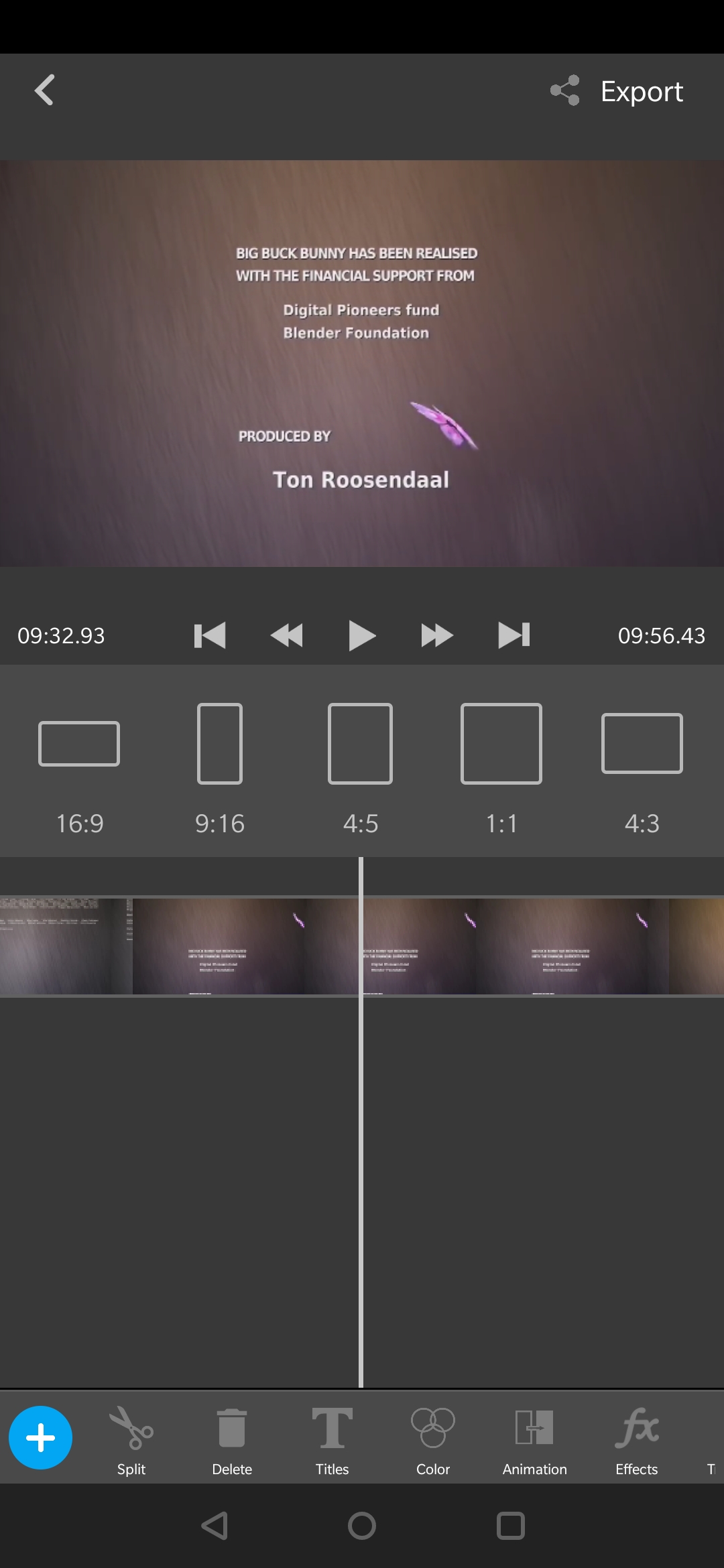
Dynamic Aspect Ratio

Instantly switch aspect ratio for Reels, Shorts, or Stories without creating a new project.

On the fly

Chroma Key

Remove backgrounds from images and video clips using the built-in chroma key tool. Replace green screens or isolate subjects for creative compositing — all without leaving the app.

Background removal

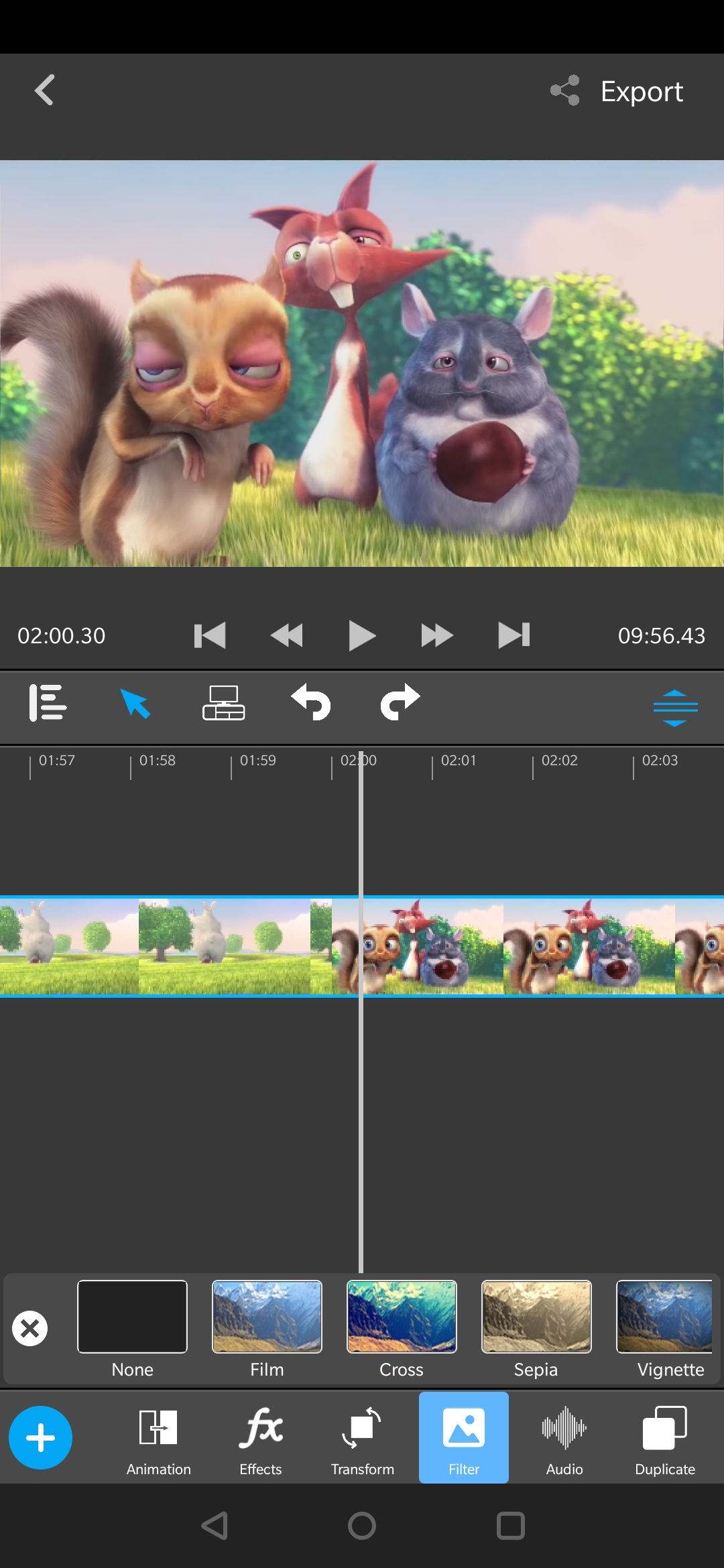
Filters & Color

Apply color filters and adjust hue, saturation, and brightness per clip for a cinematic look.

Per-clip

Export & Share

Export in Full HD or 4K. Choose resolution and bitrate, then share directly to YouTube, TikTok, Instagram, and more.

4K · HD

Step-by-Step Guide

  • Once the app is installed, you'll land on the Project List page.
  • Tap the Create Project button, then select one or more media files to import.
  • The video editor opens with all your selected clips added to the timeline.
  • Projects are auto-saved — your work is always safe when you exit.
  • Tap any clip to activate the editing tools along the bottom of the screen.
  • Use the + button (bottom-left) to add more clips, audio, or title graphics at any time.
  • Drag the resize handle (mid-right) up or down to adjust the preview panel size.
  • Change aspect ratio on the fly using the button in the toolbar alongside undo/redo.
  • Split: Select a clip and tap Split to divide it at the playhead position.
  • Delete: Select a clip and press the Delete button to remove it from the timeline.
  • Duplicate: Tap the Duplicate button to make an exact copy of the selected clip.
  • Transform: Use the Transform button to scale, rotate, and crop the clip.
  • Animation: Change entry and exit animations for your clips and titles.
  • Audio: Mute, unmute, or adjust the volume of individual clips.
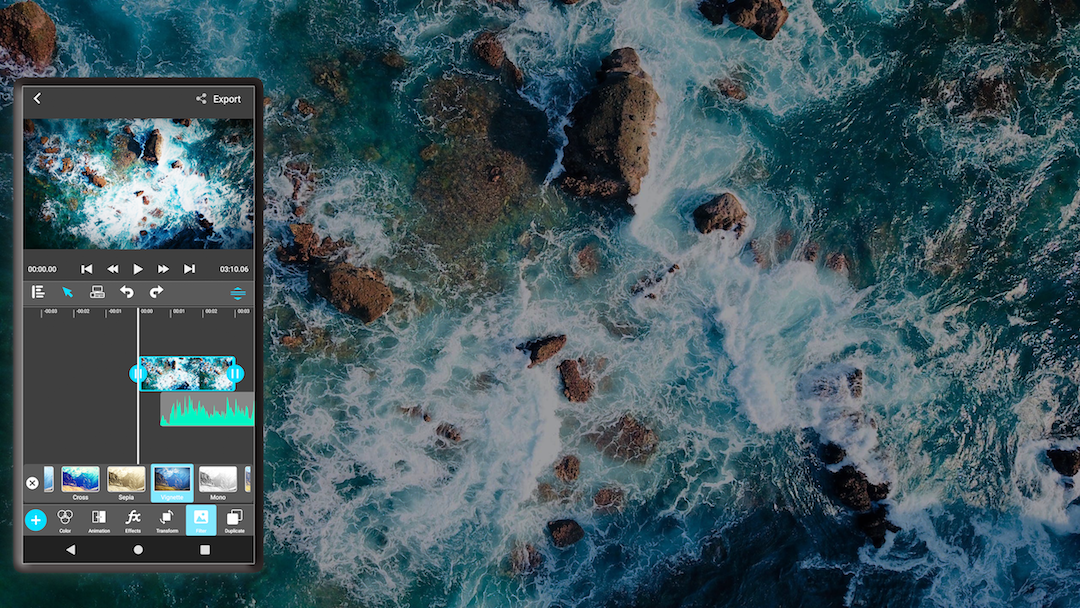
  • Filters: Apply color filters and fine-tune brightness, contrast, and saturation.
  • FX Button: Select a clip and tap the FX button to browse and apply visual effects.
  • Transitions: Tap the transition icon between two clips to pick from built-in presets.
  • Chroma Key: Select an image or video clip and enable Chroma Key to remove a color background.
  • Adjust the key color and sensitivity threshold to get a clean cutout for compositing.
  • Tap the Export button in the top-right corner of the editor to begin rendering.
  • Choose your output resolution (Full HD, 4K, or lower for smaller file sizes).
  • Adjust the bitrate — higher values mean better quality but larger files and longer export times.
  • You can cancel at any time if you want to make changes before exporting.
  • Once done, the final video is saved to your phone storage and ready to share on any platform.

Designed for Modern Creators

Multi-Layer Timeline

Multi-Layer Timeline

Pro Feature

Mix multiple video clips, audio tracks, and titles with drag-and-drop precision on separate lanes.

Chroma Key Interface

Chroma Key (Green Screen)

Isolate subjects and replace backgrounds instantly for creative compositing and cinematic shots.

Aspect Ratio Selector

Dynamic Aspect Ratio

Instantly switch between 9:16, 1:1, or 16:9 for Reels, Shorts, and Stories without restarting your project.

Editing Tools View

Frame-by-Frame Editing

Cut, split, trim, and reposition clips with absolute accuracy using the frame-accurate scrubber.

Filters and Effects View

Cinematic FX & Filters

Enhance your story with built-in transitions, real-time visual effects, and professional color grading.

Export Settings Interface

Pro Export Settings

Export in Full HD or 4K with custom bitrate control to balance file size and visual fidelity.

Ready to Create Amazing Videos?

Download Video Elements on Android and start crafting stunning videos — for free.